
Good tech should disappear into your routine. The best gadgets do not merely add another app, another cable, or another subscription to manage; they remove a small daily annoyance and keep working after the novelty wears off. This guide focuses on products that earn a place in a real home: connected plugs that make lighting schedules painless, compact chargers that reduce cable clutter, streaming devices that extend the life of an older TV, and small accessories that make a desk, nightstand, or travel bag easier to live with.
How We Judge Everyday Tech
Our starting point is not the feature list. It is the first week of ownership. A smart device has to be easy to set up, reliable on a normal home network, and clear enough that another person in the house can use it without reading a manual. We give extra weight to products that work with established ecosystems such as Alexa, Google Home, Apple devices, Matter, or standard USB-C charging. Products that rely on obscure apps, unclear privacy settings, or proprietary replacements are less attractive, even when the hardware looks impressive.
We also look for what we call second-month value. A product can feel exciting on day one and still become drawer clutter by day thirty. The strongest picks tend to solve repeat problems: keeping a phone charged on long days, switching off lights automatically, adding security visibility to an entryway, improving streaming speed, or making a workspace less chaotic.
Smart Home Gear That Actually Helps
Smart plugs, displays, cameras, and lighting accessories can be genuinely useful when they automate simple routines. A four-pack of reliable smart plugs, for example, can put lamps on a sunset schedule, shut off holiday lights, or make a fan controllable from bed. Video doorbells and compact security cameras are strongest when they offer clear alerts, simple storage options, and weather-resistant builds rather than just higher resolution numbers.
Before buying, check three practical details: whether the device needs a hub, whether the app supports the people who will use it, and whether the product keeps basic functions working if the internet drops. The easiest smart-home upgrades are the ones that improve a habit you already have instead of asking you to rebuild your home around a gadget.
Chargers, Cables, and Portable Power
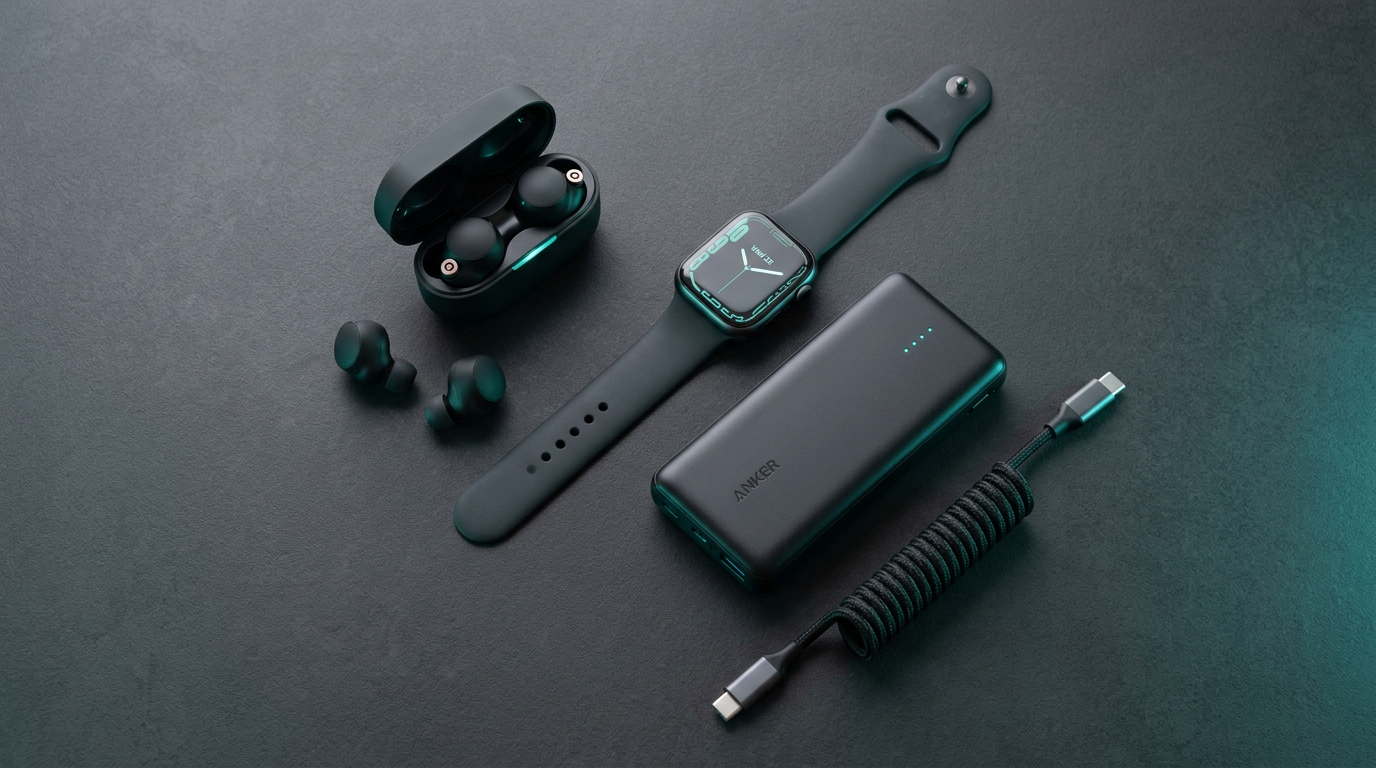
Charging gear is not glamorous, but it is often the tech people use most. A compact wall charger with enough wattage for a phone, tablet, or light laptop can replace multiple older bricks. A portable power bank is worth considering if it has enough capacity for a full phone recharge, sensible safety certifications, and ports that match the devices you already carry. Built-in cables can be convenient for travel, while replaceable cables are better for long-term durability.
Buying tip: match charging gear to your highest-demand device, not your smallest one. If a charger can comfortably power your tablet or laptop, it will handle phones with less strain.
Streaming and Entertainment Upgrades
A streaming stick can be a smart way to refresh an older television without replacing the screen. The most important factors are interface speed, app support, Wi-Fi reliability, and remote design. Features like Dolby Vision, HDR10+, or Dolby Atmos matter only if your TV and audio setup can use them. If the household watches live TV, look for a remote with useful channel controls; if people mainly use Netflix, YouTube, Prime Video, or Disney+, speed and search quality matter more.
What to Avoid
- Devices that require a subscription for basic functions you expected to be included.
- Products with excellent launch reviews but many later complaints about app updates or connectivity.
- Chargers or batteries without clear safety information.
- Smart devices that duplicate something your phone or existing speaker already does well.
Bottom Line
The right tech purchase should reduce friction, not create a new maintenance project. Start with the problem you want solved, then choose the simplest product that solves it reliably. That approach usually beats buying the most feature-heavy gadget on the page.
5. Tech Specs That Matter vs. Marketing Numbers
| Product | Spec That Matters | Often Overstated |
|---|---|---|
| Smart plugs | Ecosystem compatibility, energy monitoring | Brand premium over budget options |
| Power banks | Capacity for full phone recharge, safety certifications | Peak watt claims that don't match real output |
| Streaming sticks | Interface speed, app support, Wi-Fi reliability | HDR formats your TV doesn't support |
| Chargers | Wattage for your highest-demand device, USB-IF certification | Number of ports without sufficient total power |
Frequently Asked Questions
What tech gadgets are actually worth buying?
Smart plugs for automating lighting schedules, compact chargers that reduce cable clutter, streaming devices that extend older TVs, and power banks with enough capacity for a full phone recharge. The best products solve repeat problems.
Are smart plugs worth it?
Yes for automating lamps, fans, and devices on schedules. Look for ecosystem compatibility with Alexa, Google Home, or Apple HomeKit. Energy monitoring is a useful bonus. Budget options perform identically to premium ones for basic on/off control.
What should I look for in a power bank?
Enough capacity for a full phone recharge (10,000mAh+), safety certifications, and ports matching your devices. Built-in cables are convenient for travel; replaceable cables are better for long-term durability.
How do I choose a streaming device?
Prioritize interface speed, app support for services you use, and Wi-Fi reliability. Features like Dolby Vision or HDR10+ only matter if your TV supports them. For live TV, look for channel controls; for streaming apps, speed and search quality matter more.
As an Amazon Associate, Revitrix earns from qualifying purchases. Our editorial recommendations are made independently of affiliate relationships.
Sources & methodology
Product picks follow our editorial methodology—review aggregation, spec comparison, and gallery curator criteria—not paid placement.